Launch process
UXP core APIs also offer shell APIs to launch processes in the user's system.
There are primarily two things you can do with the help of these APIs
- Open a file using the standard application. For example, open a PDF in Acrobat Reader.
- Launch applications. For example, open the mail client with an email address.
Before we take a look at some examples, you must know that these APIs are associated with the launchProcess permission in the manifest.
data-variant=info
data-slots=header, text1, text2
launchProcess permission in your manifest for it to work. IMPORTANT: Please read about the manifest permissions module before you proceed.launchProcess is fixed. You can ignore the manifest details in the following examples. Learn about these values in the manifest fundamentals section.System requirements
Please make sure your local environment uses the following application versions before proceeding.
- InDesign v18.5 or higher
- UDT v1.9.0 or higher
- Manifest version v5 or higher
Opening a file
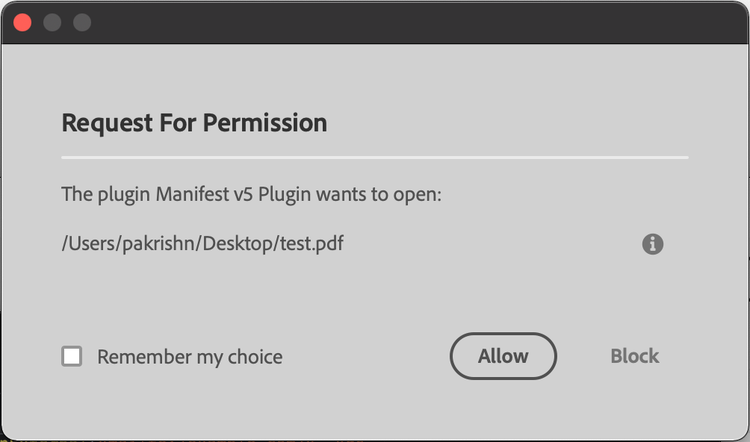
For opening a file, you must provide the full path of the file and specify the extensions of the files you are about to access in the plugin manifest.
Example
data-slots=heading, code
data-repeat=2
data-languages=JavaScript, JSON
JavaScript
async function foo() {
    const { shell }  = require("uxp");
    try {
        await shell.openPath("/Users/user/Desktop/test.pdf");
    } catch (e) {
        console.error(e);
    }
}
manifest
{
    "launchProcess": {
        "extensions": [".pdf"]
    }
}
Launch a process
You can open an application in the user's system with the help of URL Schemes
Example
data-slots=heading, code
data-repeat=2
data-languages=JavaScript, JSON
JavaScript
async function foo() {
    const { shell }  = require("uxp");
    try {
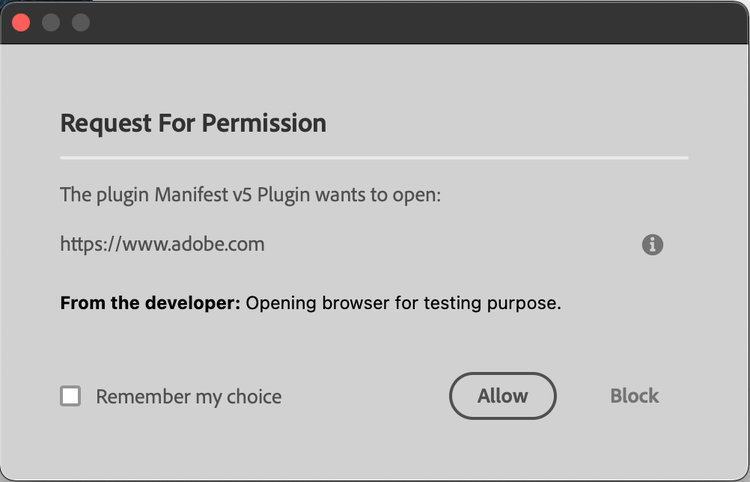
        await shell.openExternal("https://www.adobe.com", "Opening browser for testing purpose.");
        await shell.openExternal("mailto:/example.com/");
    } catch (e) {
        console.error(e);
    }
}
manifest
{
    "launchProcess": {
        "schemes": ["https", "mailto"]
    }
}
Additional notes
- The user will be asked to provide their consent for such operations. Give more context to the user by adding a note. For example the message "Opening browser for testing purpose." in the above example.
- Be prepared in case the user denies the request.
- While using
openExternal, keep in mind, that URL schemes are operating system specific. For example,facetimeis not available in Windows. Same with custom schemes. Add pre-checks and use standard URL schemes to avoid unexpected errors.